
Hey guys this blog has reopened(Just 1 comment left)
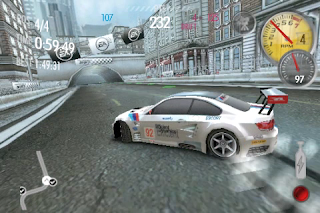
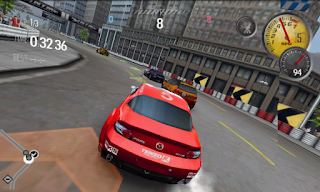
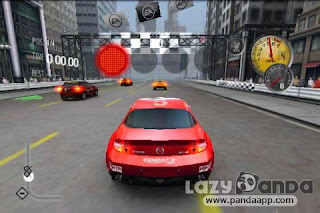
and today I'll teach you how to install NFS Shift on Galaxy y. Its a very nice
game which works without lag and has very nice graphics.
ROOT NEEDED
Download the apk file from: This Link.
Download the DATA from: This Link.
Download Chainfire 3D from: This Link.
Download the Plug-ins from: This Link.
Keep the APK file of NFS shift and Chainfire anywhere in you SD Card and extract the data to Android/Data/*HERE*. The name of the data folder after extraction should be something like 'com.eamobile.nfsshift_na_wf'. Then install NFS shift(apk) and Chainfire 3D(apk) then extract the Plug - ins anywhere in the SD Card(name of the plugins should be something like POWERVR.ZIP, QUALCOMM.ZIP and NVIDIA.ZIP). Then open chainfire 3D and go to 'install plugins/Shaders' and install the three plug - ins then in chainfire3D go to 'OPENGL settings' then tick on 'Reduce texture quality' and then open 'use plugins' and select 'Qualcomm'.
There will a black screen problem when we start a race. You simply have to lock the phone in that black screen and after unlocking, you'll be at the pause menu resume it to continue.(Solved by: Qasim Ali)
ROOT NEEDED
Download the apk file from: This Link.
Download the DATA from: This Link.
Download Chainfire 3D from: This Link.
Download the Plug-ins from: This Link.
Keep the APK file of NFS shift and Chainfire anywhere in you SD Card and extract the data to Android/Data/*HERE*. The name of the data folder after extraction should be something like 'com.eamobile.nfsshift_na_wf'. Then install NFS shift(apk) and Chainfire 3D(apk) then extract the Plug - ins anywhere in the SD Card(name of the plugins should be something like POWERVR.ZIP, QUALCOMM.ZIP and NVIDIA.ZIP). Then open chainfire 3D and go to 'install plugins/Shaders' and install the three plug - ins then in chainfire3D go to 'OPENGL settings' then tick on 'Reduce texture quality' and then open 'use plugins' and select 'Qualcomm'.
There will a black screen problem when we start a race. You simply have to lock the phone in that black screen and after unlocking, you'll be at the pause menu resume it to continue.(Solved by: Qasim Ali)
Comment Below if you have any problem. :-)




 Earlier this year when Nokia announced its quarterly earnings report, it made this clear that the lifespan of its Symbian devices is coming to an end in favor of Microsoft’s Windows Phones.